Setup key based authentication for SSH
Enable key based authentication on your server
- Edit the /etc/ssh/sshd_config file:
- Disable root login
PermitRootLogin no - To disable password based authentication
PasswordAuthentication no - To enable public-key based authentication
PubkeyAuthentication yes
- Disable root login
Generate key-pair on your client machine
- Use the following command to generate your key-pair
ssh-keygen -t rsa -b 4096 -f ~/.ssh/id_rsa - Note, you can just issue a simpler command if you want, without specifying the number of bits and file path
ssh-keygen -t rsa - Confirm the file location if asked
- Specify a passphrase to your key and repeat to confirm (you can leave it blank, but not recommended)
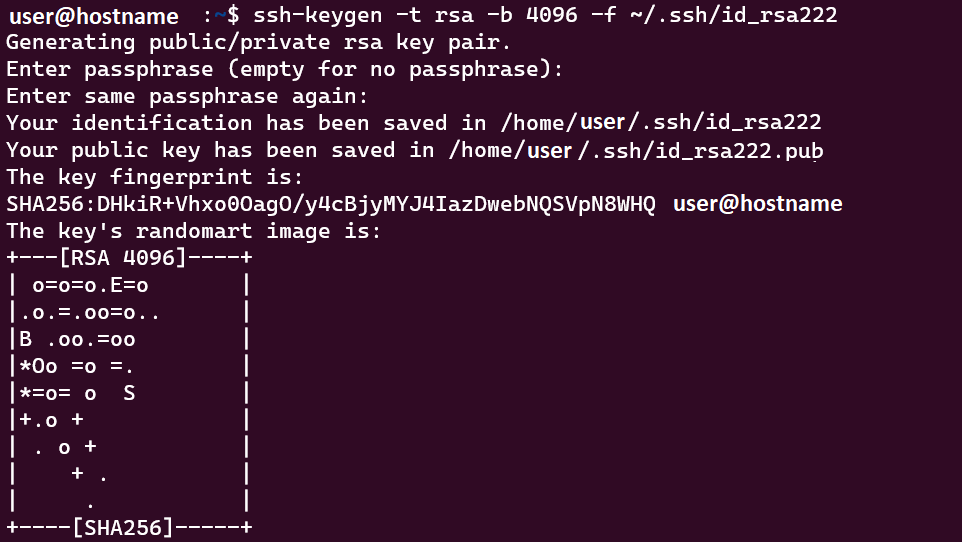
- You should see something like this after you’re done
myhost >> ssh-keygen -t rsa -b 4096 -C testGenerating public/private rsa key pair.Enter file in which to save the key (/home/myuser/.ssh/id_rsa):Enter passphrase (empty for no passphrase):Enter same passphrase again:Your identification has been saved in /home/myuser/.ssh/id_rsaYour public key has been saved in /home/myuser/.ssh/id_rsa.pubThe key fingerprint is: SHA256:4T3/CHS2FsHWt3Kf0NvJdSTQiYkRj6sw9vpGRJGM7m8 test The key's randomart image is:+---[RSA 4096]----+| o.+oo . || . =..=o || ... o=.+ o|| .ooo..o.+.|| .S.+ =o +o|| ..=.* o= O|| o+ + =o|| .Eo o || .+. . . |+----[SHA256]-----+

Install key to your server
ssh-copy-id -i ~/.ssh/id_rsa.pub myuser@my_server_host_ip_or_name
if your server is running on port other than 22, then
ssh-copy-id -P port_number -i ~/.ssh/id_rsa.pub myuser@my_server_host_ip_or_name
Test your key-based authentication for ssh
ssh myuser@my_server_host_ip_or_name
or, if your key file is not ~/.ssh/id_rsa
ssh myuser@my_server_host_ip_or_name -i ~/.ssh/your_key_filename